GIF Your Brand Course: Create Your Own Custom Animated Graphics

Animated Graphics + GIFs are a fun way to grab attention - it's EASY to create custom animations for your brand so you can stand out!


WHAT YOU GET INSIDE THE COURSE:

Strategic Planning Guide
Step-by-step videos to show you exactly how to create different types of GIFs
✅  Easy + free GIF creation tools + apps (including Canva + other apps)
✅  GIFtastic inspiration - examples and places to use your GIFs (sales pages, social media posts, profile photos, logos, + more )
 Pre-designed Canva templates - Animated Mockup (great for sneak peeks + teasers) + Customized Memes (great for connection + engagement)

Did someone say BONUSES?


⭐️  BONUS #1: RESOURCES - my fave animated sticker creators on Canva and Instagram Stories (and how to search for more)

⭐️  BONUS #2: How to find trending GIFs + memes (and when to use them...hint: personalize them first!)

⭐️  BONUS #3:  "GET IT DONE" MASTERCLASS (Recording) 

😲Plus countless Canva "golden nugget" tips + content repurposing ideas throughout the videos + text modules!
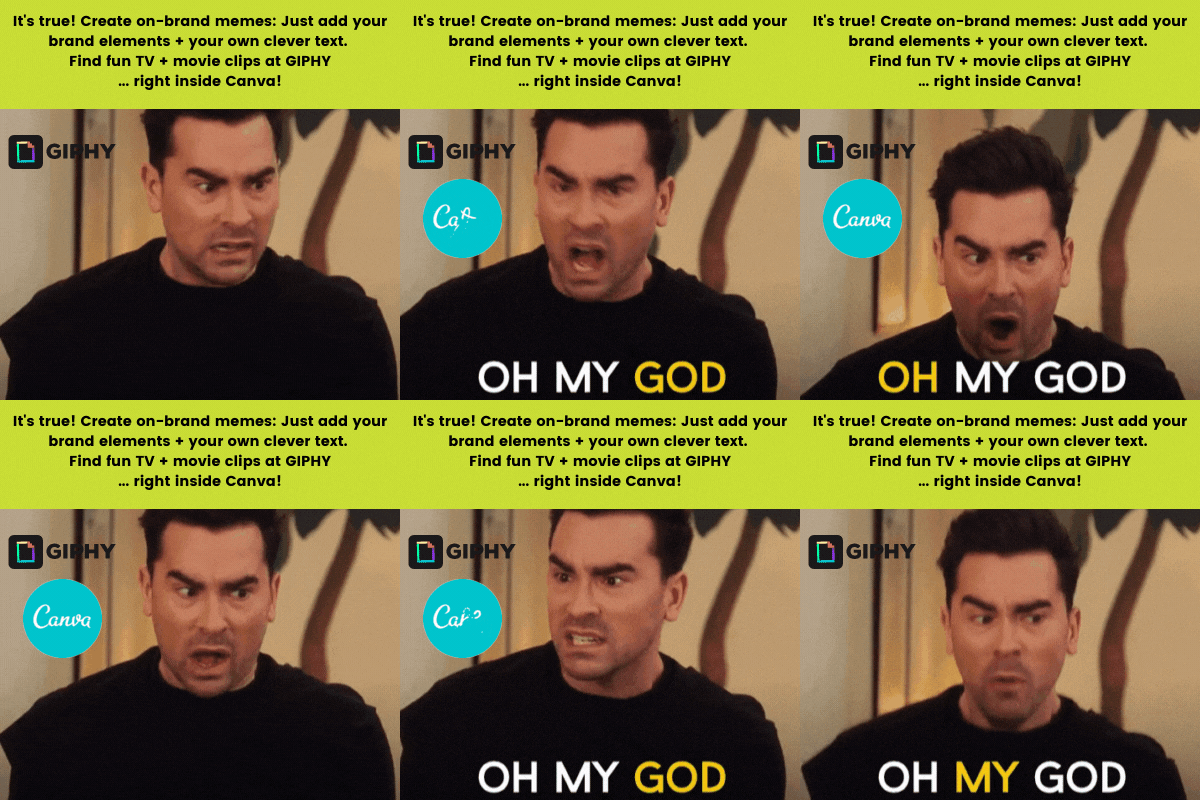
 

3 Reasons Why You Need Your Own Branded GIFs

  1. BRAND RECOGNITION: Why brand Cam from Modern Family when you can brand yourself? 
    Just imagine seeing your GIF in other people's posts…

  2. DON'T WANNA DO VIDEOS? DO GIFS INSTEAD!
    GIFs are the video for people who don’t wanna do video. 

  3. BEAT THE ALGORITHM: Video is being prioritized in social media algorithms - and GIFs count as videos.


Did you know you can make custom branded GIFs and memes right inside Canva?

(Psst. 3 Canva meme templates + GIPHY tutorials are included inside this course!)

Ready to get started? (Over 250 students have already joined the course!)

When you sign up, you get:

  • Instant access to bite-sized videos, Canva templates + GIF planning guide
  • Masterclass recording + slide deck with additional tutorials, tools, inspiration, + Canva tricks
  • Resources for free apps + tools, trending GIFs, and Instagram Stories stickers
  • Ongoing access to the course, including updates and any new templates added

Woo hoo, let's make some custom GIFs
... have some FUN, help your brand stand out + show your personality!


About Angelique, your course facilitator.

Web Designer, Online Strategist, Custom GIF creator + Canva Templates Designer

I help passion-fueled coaches, speakers, holistic practitioners + solopreneurs create an irresistible online presence + attract more clients without tech or design overwhelm!

 <<< PS... that "animated" profile picture of me is a GIF too. So is the GIF Your Brand one at the top of the page. Super easy to make in Canva in 5 minutes, and I  show you how inside the course!

Frequently asked questions

How long do I get access and does it include updates?

You'll get ongoing access to the course, including any updates or new Canva templates added. Yay!

Are the templates and tutorials the same as in your other courses or Canva collections?

This course is all about planning and creating your launch graphics to promote your course, group program, freebies, or even your new website.

The checklists, planner and templates are different than other courses and Canva template collections.

There is one video in this course that teaches about "Animated Video Mock-ups" and scrolling-videos, which is covered more thoroughly and includes a more extensive Canva template collection with flatlays, worksheets, and computer mock-up templates  in the "Animated Video Mockups" course.

You'll find that course here

How will I access the Canva graphics templates?

You will get instant access to the Canva templates.

You'll need a Canva account (free version is fine, but I recommend Canva Pro for additional features - try a Canva Pro account free 30 days  with my affiliate link).

Once inside the course, open the template lesson, then click the link and the template will open inside your own Canva account.

I recommend making a master copy first.

What software to I need to edit the templates?

All of the templates are customizable in Canva (yay no techy Photoshop required!)

You can use the free version of Canva to edit the templates, and there are lots of free stock photos, design elements, and animated gifs for you to choose from, and of course you can upload your own photos! You'll be able to download the animated video mock-ups you create as static images (.png or .jpg) or as videos (.mp4).

For even more awesome features, I recommend  upgrading to a Canva Pro account (get 30 days free with my affiliate link), including uploading your branding colours + fonts, lots more stock photos and design elements, "magic resize", and more...and you'll need Canva Pro for downloading files as .gifs (to insert into your email newsletter). 

I've included my own step-by-step videos as well as links to Canva's own tutorials, so even if you're new to Canva it should be easy for you to successfully update and edit the templates. 

How can I use the Canva templates?

The template may be used for personal or commercial purposes.

If using the template for client projects, it must be provided to your customer as a finished UNEDITABLE file.

You CAN NOT sell the template, or claim it as your own original work.

Can I get a refund if I don't like the course?

Due to the digital nature of this course and instant access to Canva templates, all sales are final and not refundable.

If you have trouble accessing the course or templates, let me know at angelique@angeliqueduffield.com ... I'd be happy to help you.

I have another question

Contact me at angelique@angeliqueduffield.com if you have any other questions.